Can Netspark filter WhatsApp channels?

Can Netspark filter WhatsApp channels?

In WhatsApp, the Updates section includes a variety of channels to follow.


On Android devices with Uninstall Protection active, Netspark can disable WhatApp Channels according to the filter level you choose, both in WhatsApp and WhatsApp Business.
If you choose to disable WhatsApp Channels, tapping any channel on the list, including ones you are following, will be blocked.

Disabling WhatApp Channels is directly related to content settings, and can be done by adjusting settings using one of these methods:
1. Set the filter level to Moderate or strict.
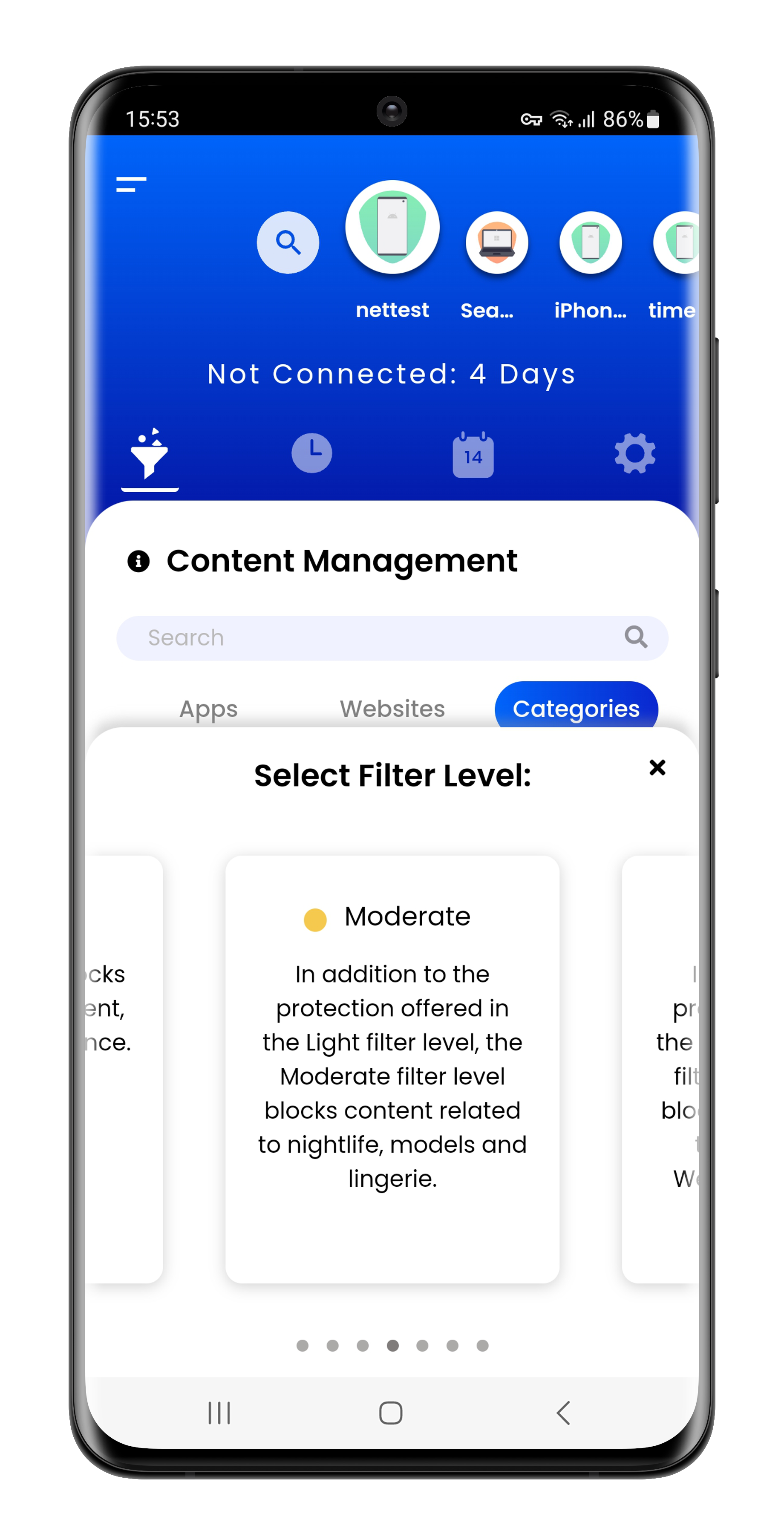
2. Setting Chat/SMS category to Moderate or Strict.

3. Set WhatApp application to Moderate or Strict filter level in your Custom Filtering Rules.

If you wish WhatsApp Channels to be open, and the filter settings for Chat/SMS category is already Moderate or Strict,
you need to set WhatsApp application to Light or No filter level in your custom filtering rules.

Currently, disabling WhatApp Channels is supported only on Android devices.

    • Related Articles

    • What are Netspark's content categories?

      Netspark uses content categories to group different apps and websites. Each app and website are assigned to one category based on their most defining aspect. This allows you to select which categories you wish to block/allow when setting the "Custom" ...
    • Why is my WhatsApp camera disabled?

      Taking pictures or videos from within WhatsApp will not be possible if you enable to Local Image filtering. If you have enabled one of these two features, Netspark will intentionaly block the use of the built in camera option in WhatsApp ...
    • What kind of devices are compatible with Netspark Mobile?

      Netspark is compatible with these Operating Systems: Netspark Mobile for Android is compatible with devices (smartphones and tablets) running Android 12 or higher. Read more about Android compatibility Netspark Mobile for iOS is compatible with ...
    • Can I create a mobile "Hotspot" while using Netspark Mobile?

      Netspark Mobile allows you to create a portable mobile "Hotspot" (also known as Wi-Fi tethering) from your device without having to disable the filter. Note: The shared internet provided from the protected device will not be filtered. When activating ...
    • Does Netspark Need to Be Installed Per User on Windows or Mac?

      No. Netspark is installed once per device, not per user. On Windows PCs and macOS devices, the filter operates at the system level, meaning: All user accounts on the computer are protected Filtering applies equally to admin users and standard users ...